The Pakistan Citizen Portal (officially the Pakistan Citizen’s Portal) is the official government app for filing and tracking complaints against public offices. This guide explains what it is, how to file a complaint, how to track it, and how to reopen a complaint you are not satisfied with.
If a government service is delayed (a domicile, a certificate, or a welfare payment) and no one responds, this portal is the official way to escalate. Using it is free, and you follow everything with a tracking number.
What is the Pakistan Citizen’s Portal?
The Pakistan Citizen’s Portal is a government mobile app and website where citizens lodge complaints and give feedback about public services. You register with your CNIC and phone number, submit a complaint to the relevant department, and the portal routes it for action while you track the progress. You can find official information at citizenportal.gov.pk.
The goal is simple: give every citizen a direct, trackable channel to government departments, instead of waiting endlessly with no update.
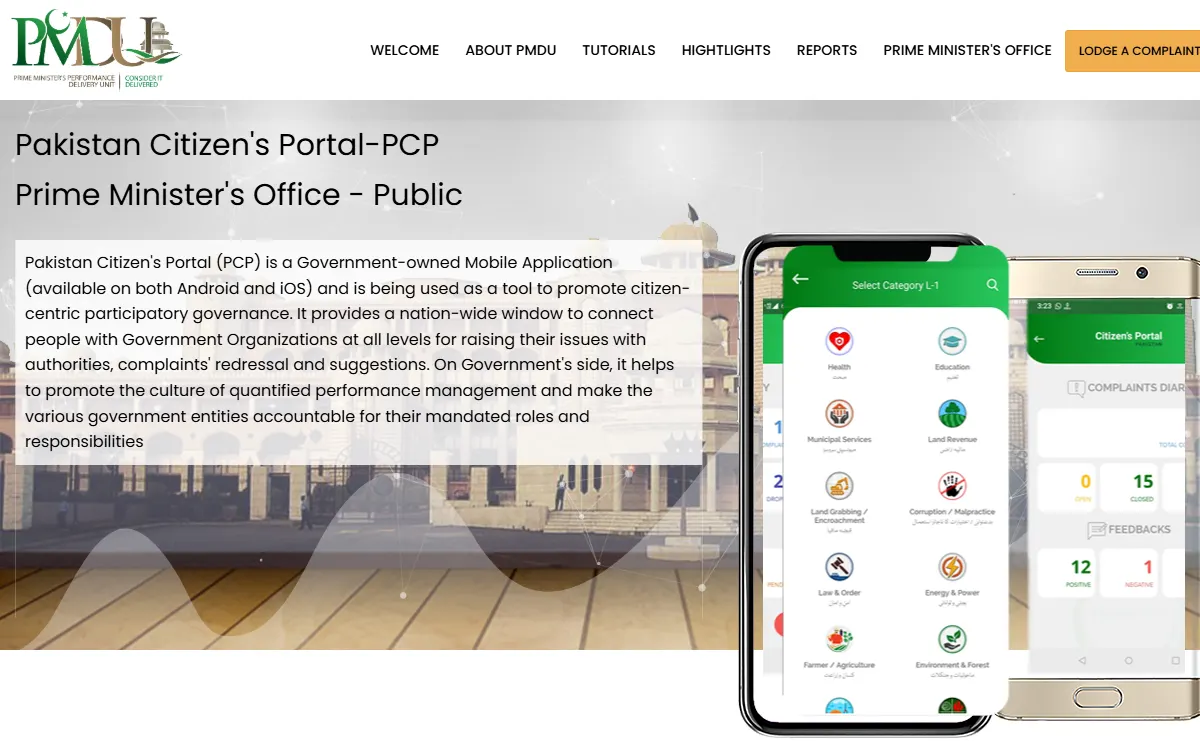
How to file a complaint on the Pakistan Citizen’s Portal
- Download the official Pakistan Citizen’s Portal app and register with your CNIC and mobile number.
- Choose the correct department and category for your issue.
- Write a clear complaint with your details and any reference or token number, and attach evidence if you have it.
- Submit and save your tracking number to follow the status.
A clear, specific complaint (with dates, reference numbers, and what you want fixed) is far more likely to be actioned quickly.
How to track and reopen a complaint
Once submitted, you can track your complaint in the app at any time. When the department responds and closes it, you can rate your satisfaction:
- If you are satisfied, you can close the feedback.
- If you are not satisfied, you can reopen or re-agitate the complaint with your reason.
This reopen option lives inside the app itself. If the reopen window has passed, you may be able to file a fresh complaint that references the old one.
Tips for a complaint that gets resolved
- Pick the right department and category so it reaches the correct office.
- Be specific: give dates, your reference or token number, and exactly what you want done.
- Attach proof where possible (a receipt, a screenshot, a photo).
- Follow up using your tracking number, and reopen if the response does not actually fix the issue.
What happens after you submit
Once your complaint is submitted, it is routed to the relevant department, and an officer is assigned to look into it. You will usually receive updates as the status changes, for example when it is under process and when a response is added. This is why a correct department, a clear description, and any reference number matter so much: they help the officer act without coming back to you for basic details. If the department needs more information, respond promptly through the app so your complaint is not closed for lack of a reply. Keep your tracking number until the matter is fully resolved.
Stay safe from fraud
- Use only the official app and website citizenportal.gov.pk.
- The portal is free. Never pay anyone who claims they can “resolve” your complaint for money.
- Never share your OTP or password with anyone.
GoPunjab is an independent information website; we are not part of the government and cannot see, open, or resolve your complaint. We only explain how the official process works so you can use it correctly.
Related guides
Many people use the portal to escalate a stuck service. See our guides on the Punjab domicile online, the e-Khidmat Markaz, and BISP 8171 check online. You can also try our free eligibility checker to see which welfare programs may fit your household.